

ChatGPT has taken 2025 by storm because of the multiple possibilities it brings on our day-by-day activities. Texting is one of them, so we’ll explore how ChatGPT can be used to send a text message. But first, let’s go over the basics of what ChatGPT is.
For those who are not familiar with it, ChatGPT is a language learning AI (Artificial Intelligence) chatbot that can communicate with people in a human-like way. That’s possible because the software understands the context of your message, allowing it to provide all sorts of answers to the most varied questions.
ChatGPT also holds a massive amount of text data, and it’s been trending since its release on November 30th 2022, because of how good it is at understanding the context of people’s messages and its capability of responding in a near-human way, with a unique level of personalization.
How to Get Started with ChatGPT
The first thing you need to know is that you need to be 18 years old in order to use the platform. You can get started with ChatGPT by following these simple steps:
- Go to the ChatGPT page and scroll down to click on the Try ChatGPT button.

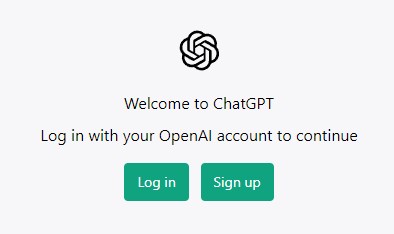
- Click on the Sign up button to create your OpenAI account.
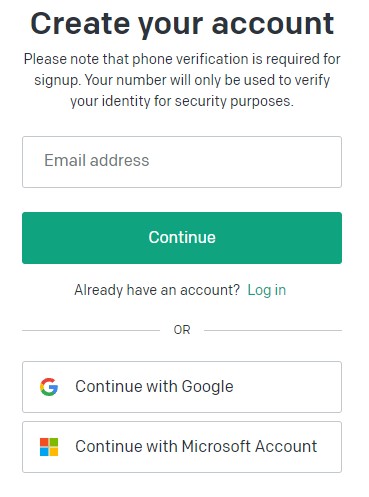
- You can use your email address to create an account. Alternatively, you have the option of signing up using your Google or Microsoft account.
- That’s it! You’ll land on the ChatGPT page, and then you can start a conversation with ChatGPT.

How to Use it for Text Messaging
Once you’re logged into ChatGPT, click on New chat and ask to write a text message or to compose an SMS reply to any specific message or topic that you’d like to cover. You can also ask ChatGPT to adjust the tone and content of your message or response. Here’s an example:

This is a simple demonstration of what the platform can do. But ChatGPT is capable of providing much more complex answers. To get the best out of it, here are a few things to keep in mind:
Be Specific and Clear from the Beginning
Start the query by providing as many clear and specific inputs as possible. The more you do so, the better the quality of ChatGPT’s reply, which can lead you to save time and copy-paste the reply you wanted right away.
Fine-Tune the Results
If the first answer ChatGPT brings is not satisfactory, you can continue chatting with the AI, instructing it with more specific changes that you need. You can ask it to be more or less polite, use a more natural word for a specific term, or make any other addition or edit.
ChatGPT is Good, But Limited
Although it uses machine learning technology and provides almost human responses, keep in mind that ChatGPT can fail in providing the answer you’re looking for. Especially when it comes to text messaging and any other communication that heavily involves a human factor. It may happen that ChatGPT’s reply is too wordy, uses too technical language or is just incorrect or irrelevant.
Don’t Be Dependent
Remember: ChatGPT is a machine, a tool to help you, not necessarily to do things for you. You can always use it to get a first idea and then develop and edit it yourself. The whole point of using it to reply to a text message is to have the best response possible.